Creating Lightweight, Web-Based Videos with AI and Remotion
Nov 4, 2026 ·
Remotion lets you create videos with code and plain text instructions, which makes it a great fit for AI assisted creations. In this post, I’ll show you how to get started, how to generate both web videos and MP4s, and just how tiny and fast this workflow is.
Background
I’ve been planning to visualize various industry examples for KeyboardKit for a long time, but never got around to it. As a solo dev, traditional video production is too much of a context switch.
This changed when I started exploring Remotion together with Lovisa Lindstaf from Goloura. In very little time, we’ve managed to create great visualizations for the KeyboardKit website.
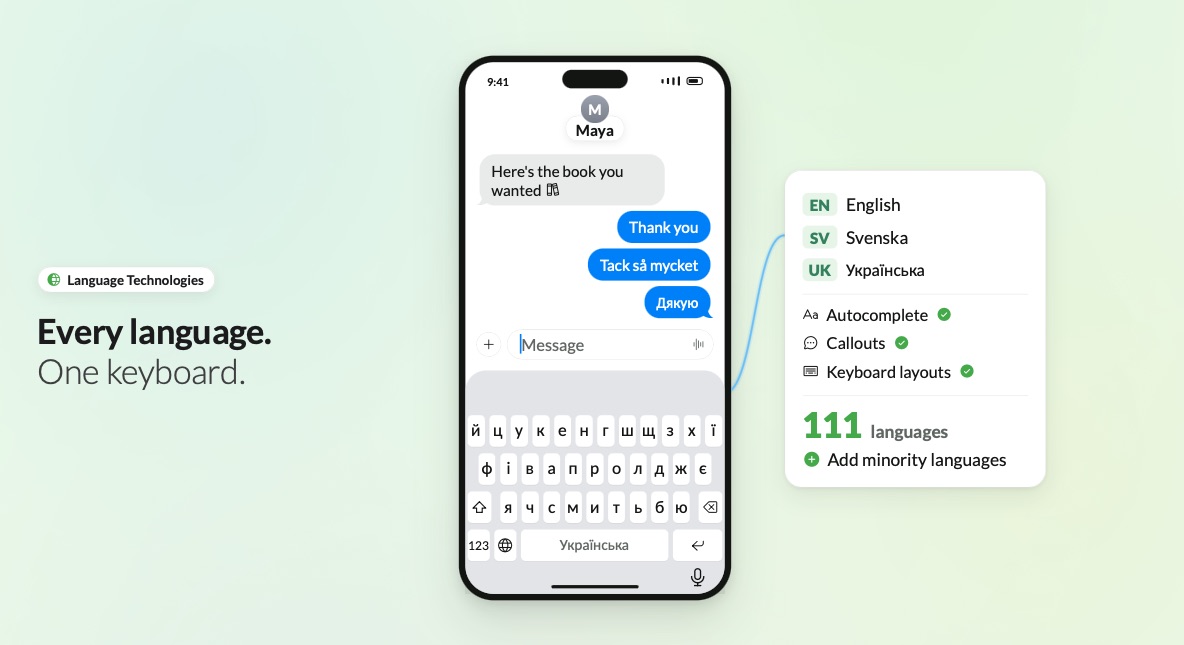
The home screen now has a video that illustrates all industries in a single flow, while the industries page has separately exported videos per industry.
Since videos are exported as HTML, JavaScript, CSS, and SVGs, the result is tiny, and since videos are edited by just Claude Code chat, changes are fast and effortless.
What is Remotion?
A Remotion video is just a React component that renders text as video, based on the current frame and a set of instructions. Since videos are plain text, you can diff, review, and commit changes, and reuse any element and transition across videos.
This makes Remotion a great fit for AI. Since agents are great at understanding and editing text, you can edit videos directly in chat, and watch live changes in a preview that runs on your own machine.
Getting started
To get started, create a blank project, install the Remotion agent skills, and start Remotion Studio, which is the local preview:
npx create-video --yes --blank my-video
cd my-video
npx remotion skills add
npm run dev
This will launch the Remotion IDE. However, I never followed these steps. I just asked Claude to wire it up directly from within the Claude Code, which worked great.
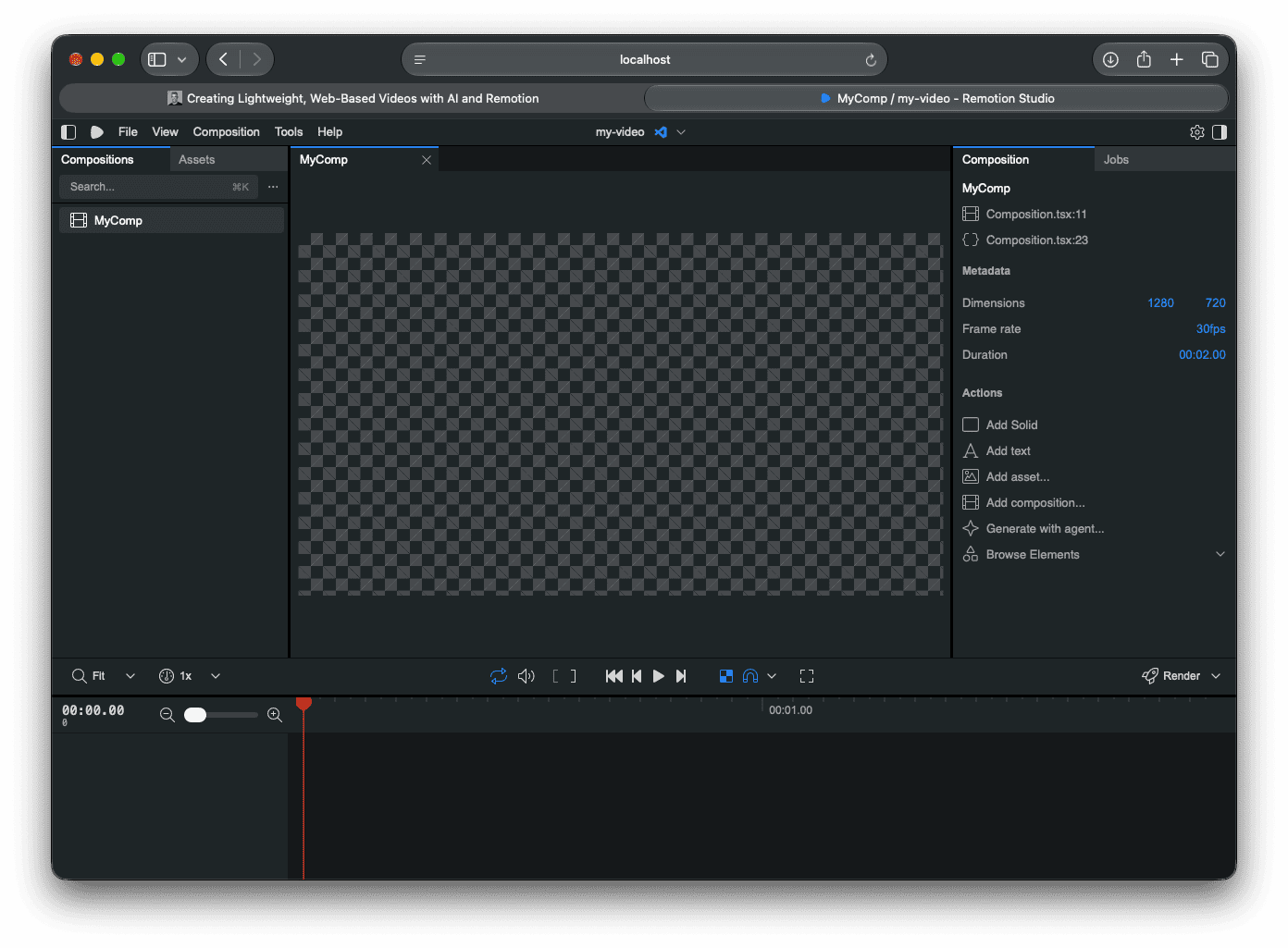
You can now start your AI agent in a separate terminal, and describe the video you want:
cd my-video
claude
Create a 10-second, 1920x1080 video where a phone slides in from the
right, then types "Hello, Remotion!" in a text field, one letter at a time.
To see what the agent is working with, this is a basic video that fades in a title during its first second:
// src/Hello.tsx
import { AbsoluteFill, interpolate, useCurrentFrame } from "remotion";

export const Hello: React.FC = () => {
  const frame = useCurrentFrame();
  const opacity = interpolate(frame, [0, 30], [0, 1], {
    extrapolateRight: "clamp",
  });

  return (
    <AbsoluteFill style={{ justifyContent: "center", alignItems: "center" }}>
      <h1 style={{ fontSize: 120, opacity }}>Hello, Remotion!</h1>
    </AbsoluteFill>
  );
};
A video is then registered as a composition, with an ID, a duration and a size:
// src/Root.tsx
import { Composition } from "remotion";
import { Hello } from "./Hello";

export const RemotionRoot: React.FC = () => {
  return (
    <Composition
      id="Hello"
      component={Hello}
      durationInFrames={90}
      fps={30}
      width={1920}
      height={1080}
    />
  );
};
Since your agent sees the same code as you, you can ask it for changes like “make the phone arrive 10 frames earlier” or “use the same transition in all videos”, and then watch the preview update.
Generating a web video
Remotion has a Player component that plays a composition live in the browser. Nothing is encoded. The browser just renders your component, frame by frame.
To use it, add the player to your project:
npx remotion add @remotion/player
If your site uses React, you can use the Player directly. If not, you can bundle the player and videos into a single script. This is how the KeyboardKit website (a static Jekyll site) does it.
First, add an entry point that mounts the player:
// src/web/index.tsx
import { Player } from "@remotion/player";
import { createRoot } from "react-dom/client";
import { Hello } from "../Hello";

const element = document.querySelector("#hello-video");

createRoot(element!).render(
  <Player
    component={Hello}
    durationInFrames={90}
    fps={30}
    compositionWidth={1920}
    compositionHeight={1080}
    style={{ width: "100%" }}
    autoPlay
    initiallyMuted
    loop
  />,
);
Then bundle it with a tool like esbuild:
npm i -D esbuild @types/react-dom
npx esbuild src/web/index.tsx --bundle --minify --format=iife --define:process.env.NODE_ENV=\"production\" --outfile=out/hello.js
You can then add the script to any page:
<div id="hello-video"></div>
<script src="/js/hello.js" defer></script>
This means that “generating a web video” is not really a thing. There is no “generated output”. The code itself is the video, which is why it’s so tiny.
Generating an MP4
While web videos are great on a website, there are times when you may want to generate a proper video file, for instance to be used in presentations.
To generate a video file, pass the composition ID and an output path to the render command:
npx remotion render Hello out/hello.mp4 --codec=h264 --crf=20
Use --scale to generate a hi-res version of the same video, for instance for a presentation or a talk.
npx remotion render Hello out/hello-4k.mp4 --codec=h264 --crf=20 --scale=2
Since the video is just code, this doesn’t lose any quality. A 1080p composition just becomes a true 4K video. The same setup can also generate other formats, as well as a poster image:
npx remotion render Hello out/hello.webm --codec=vp9 --crf=30
npx remotion still Hello out/hello.jpg --frame=45
Just how tiny is it?
For some real numbers, the KeyboardKit videos are ten 10-second industry videos at 1920x1080 and 30 fps. There is also a full product demo that plays them all in a single flow.
The size of all web videos, including code and assets, is just 246 KB. Smaller than many images. This includes everything. When exporting MP4, a single industry is ~340kB, and the full demo is ~5.2MB.
You read that right. The web script that contains all videos is smaller than a single industry MP4 and 21 times smaller than the product demo MP4, including React and the Remotion player.
There are two things to keep in mind, though.
The first is that the script doesn’t include fonts. The Lato and Carlito fonts add 144 KB, which brings the total to 390 KB, which is still 13 times smaller than the MP4. The Noto Color Emoji font however adds a whopping 2.1 MB, so focus on your fonts if you want to keep your web videos tiny.
The second is that the web runtime is a fixed cost. A bare-bones script with only the 3-second video above is still 191 KB after compression, while its MP4 is just 9 KB. So the web format doesn’t always win, only when you have many or long videos. Plus, real assets would blow up the web video size.
Just how fast is it?
The size is great, but the speed of iterating is what really blew me away.
Since Remotion runs on your local machine and there are no heavy files to process, changes appear as soon as a file is saved. There’s nothing to render, export or upload between making a change and seeing it. You just keep chatting, and the video keeps changing.
The rest of the pipeline is just as quick. These are the times for the KeyboardKit videos on my Mac:
- Rebuild the web script, all videos - 0.8 s
- Render one industry video, MP4 - 5.6 s
- Render the full product demo, MP4 - 23 s
- Render the full product demo, 4K - 96 s
That is a 100-second video rendered in less than 25 seconds. With the web format, a change to all videos is less than a second and a deploy away from being live.
Having all videos in the same place also means that a change to a shared element, like the keyboard or the phone, instantly applies to all videos. A skill file has the format, style and pacing rules, as well as a short brief for each industry, then makes sure that the agent keeps new videos consistent.
Web vs MP4
So which format should you use? It depends on the use-case, where each has its own pros & cons.
Web pros
- It’s tiny when you have many videos or long videos.
- It’s sharp at every size, since text & shapes are rendered by the browser.
- It can have a transparent background and blend into the page behind it.
- It can interact with the page, for instance by seeking to a frame with a button.
- It can take input, which means that the same video can adapt text, colors and language.
- It can respect accessibility settings, for instance by showing an image when a user prefers it.
Web cons
- It requires JavaScript and React, which is a fixed cost even if you just have one small video.
- It runs live on device, so complex videos can use more CPU and battery than a decoded video.
- It can’t be used outside of the web, so you can’t post it to LinkedIn, or use it in e.g. Keynote.
- It can look different in different browsers, and depends on fonts being loaded.
MP4 pros
- It works everywhere, from social media and email to Keynote and video players.
- It looks exactly the same everywhere, with all fonts baked into the file.
- It requires no JavaScript, and is played by the device’s video decoder.
- It’s a single, self-contained file that is very small for short and simple videos.
MP4 cons
- The file size grows with the duration and resolution, and you need separate files for each video.
- The resolution is fixed, so it will not be as sharp when it’s scaled up.
- It can’t be transparent. You must use WebM or ProRes if you need an alpha channel.
- It can’t interact with the page, and every change requires a new render and upload.
For the KeyboardKit website, the web format is a perfect fit. Videos are transparent, sharp at every size, and start playing when they scroll into view. Whenever I need a video for a presentation, a talk or LinkedIn, I can just render a hi-res MP4 from the same code.
License
Remotion isn’t open-source in the traditional sense. It’s free for individuals and for teams of up to 3 people, while larger companies need a company license. Make sure to read the license terms.
Conclusion
I’m blown away by Remotion. It’s a tool tjat makes video creation both better and faster. Being able to create videos while chatting with an agent, with instant previews and with plain text as source of truth, makes videos feel like just another part of the code base.
If you have a website that needs some motion, give Remotion a try. You can see the result on the KeyboardKit website and its industries page.
Discussions & More
If you found this interesting, please share your thoughts on Bluesky and Mastodon. Make sure to follow to be notified when new content is published.