Some things are never truly lost - How git recovered two weeks of deleted work
Aug 27, 2026 ·
After spening 2+ weeks working on a major product update, I deleted everything by mistake. Then I got it back. This is a story about panic, and how some tools have your back when disaster strikes.
Background
I’d been working on a major 11.0 version upgrade to my commercial project KeyboardKit for about two weeks. It was a big one, with a huge amount of planning and preparations before starting it.
After 2+ weeks of work with external Swift concurrency expert, my v11_0 branch had 46 commits with a Swift 6.2 bump, a lot of concurrency refactors, migrating to localized string resources, etc.
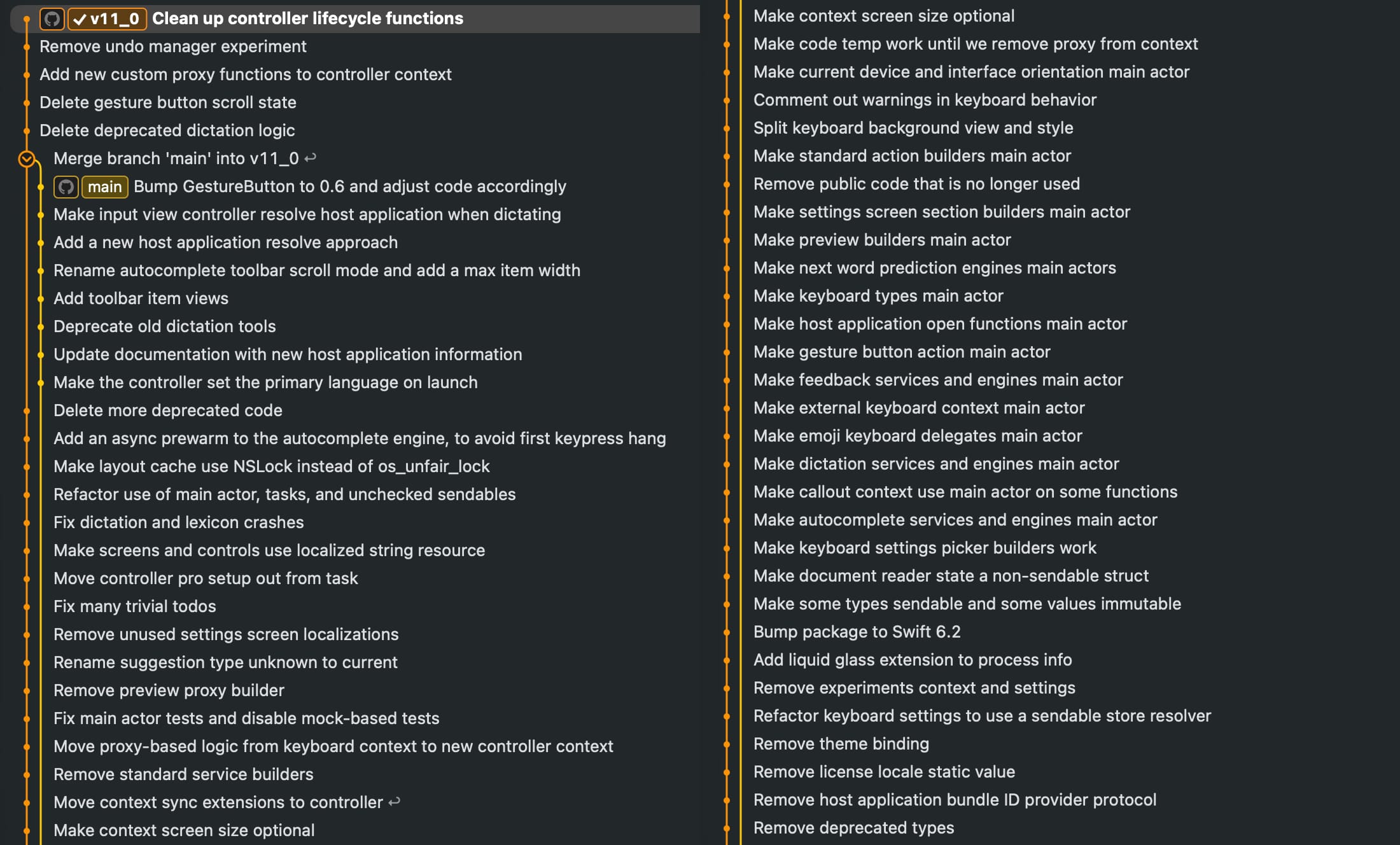
Then, yesterday, in the middle of an otherwise ordinary afternoon, I accidentally git reset it all.
The reset
I was about to merge main into v11_0, when I saw that main had a bug that I wanted to fix. Instead of fixing the bug as a new main commit, I decided to rebase the fix on the original commit.
Rebasing is tool I use every day to keep my history clean. I’m comfortable with it. Too comfortable.
What messed things up was that I had already merged main into v11_0, and rebasing main would complicate things. I had made and confirmed the fix in 11_0, not main and wanted a clean start.
However, being a bit unfocused, I managed reset the 11_0 branch to main instead of origin/11_0. And then I force pushed.
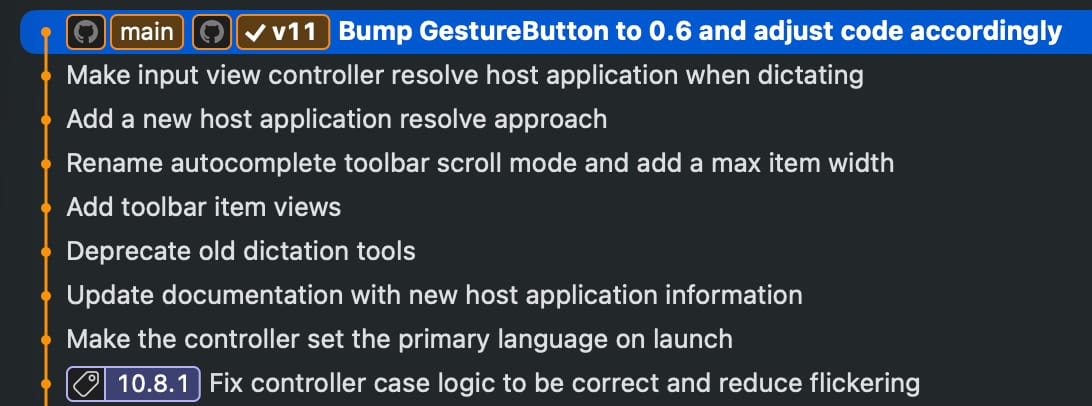
Once I realized what I had done, it was too late. I had just reset two weeks of work. The 11_0 branch pointed at main both locally and on GitHub. The work was gone. Gone.
Redo it all!?
In a blind adrenaline rush, I created a new v11 branch off main and started redoing it all. I got a few commits in, then realized that this massive undertaking would be soul crushing.
It was then a thought surfaced. Perhaps Claude keeps a copy of the local git history in memory? Not likely, but…perhaps?
Claude to the rescue
I asked Claude Code, who had a live session in my local repository, mostly expecting to be told what I already believed, that I was done for.
I accidentally deleted an entire “v11_0” branch in this repository and force pushed. It now points to “main” branch. All work is gone. It’s a long shot, but do you have a copy of the old code somewhere?
Turns out Claude didn’t need a local copy of the git repository. Instead it went directly to git history.
I’ll check what’s recoverable. Git usually keeps deleted branch commits in the reflog and as dangling objects.
I only knew a little about reflog. Turns out it’s not just a list of your branch names, but a record of all positions HEAD has ever been in. Timestamped, including the ones nothing points to anymore.
Good news! The v11_0 branch is still there. It’s fully recoverable. Let me confirm.
My deleted branch was still there, fully recoverable! Claude found hundreds of old commits, one of which was the one before the disastrous reset. It was all still in there, intact.
Getting it back
Once Claude found the last commit of the deleted branch, the actual recovery was just a single line:
git branch -f v11_0 1ebf4628
That’s it. I just had to create a new branch from the last commit before the reset. The commit never went anywhere, it just stopped having a name.
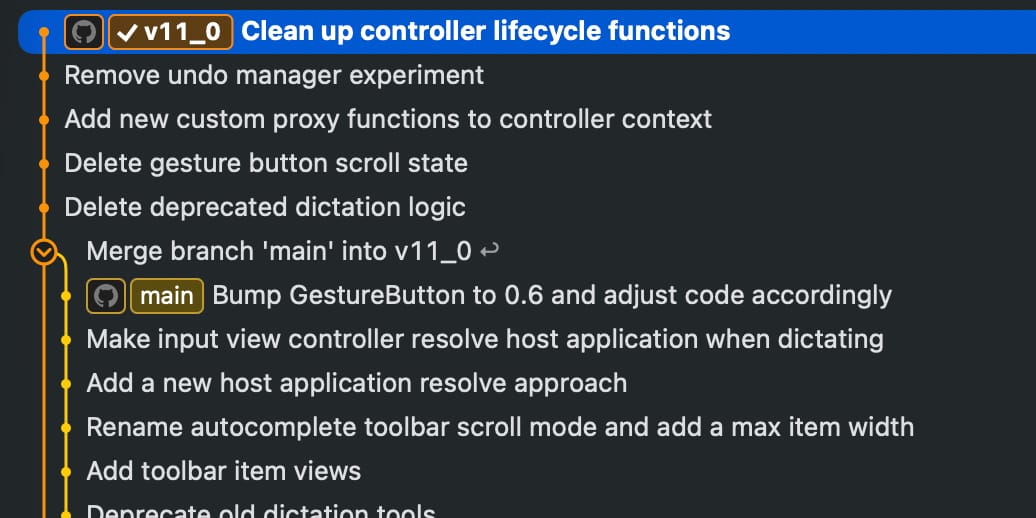
With that, everything I though was lost was now restored. Thanks to git & Claude, I got my life back.
Learnings
A deleted git commit is invisible to almost every command you’d normally reach for. git log won’t show it. git branch won’t list it. From every angle you habitually use, it just doesn’t exist.
But that is not true. git keeps more than you think in its database, and lets you recover it once you have the commit hash.
A few things, in descending order of how much they cost me. Some of them I actually already knew, but not well enough to not despair when disaster struck. Perhaps that is true for you too?
Deleting a ref is not deleting the work.
Branches are labels, and resetting one just moves the label. The commit stays exactly where it was, and stays there for 30 days by default. I knew this, but not well enough to see it as a restore tool.
Force pushing doesn’t destroy local objects.
Your .git directory is unmoved by your mistakes. While the log looked like the work was gone, git allowed us to gracefully restore the removed code.
Rebases don’t eat the originals
Every rebase (start) line in the reflog records the tip you were on before the rebase ran. Both the before and the after survive. I always believed a rebase consumed what it rewrote, but alas, no.
Conclusion
Almost every destructive-looking git operation is only destructive to references, not to the content. Reset moves a pointer. Rebase writes new commits and moves a pointer. Branch deletion removes a name. Underneath it all, the git database keeps orphans around in case you need them.
You are almost always a git branch -f away from where you were. Some things are never truly lost. They just stop having a name.
Discussions & More
If you found this interesting, please share your thoughts on Bluesky and Mastodon. Make sure to follow to be notified when new content is published.