Wally 7
Aug 20, 2026 ·
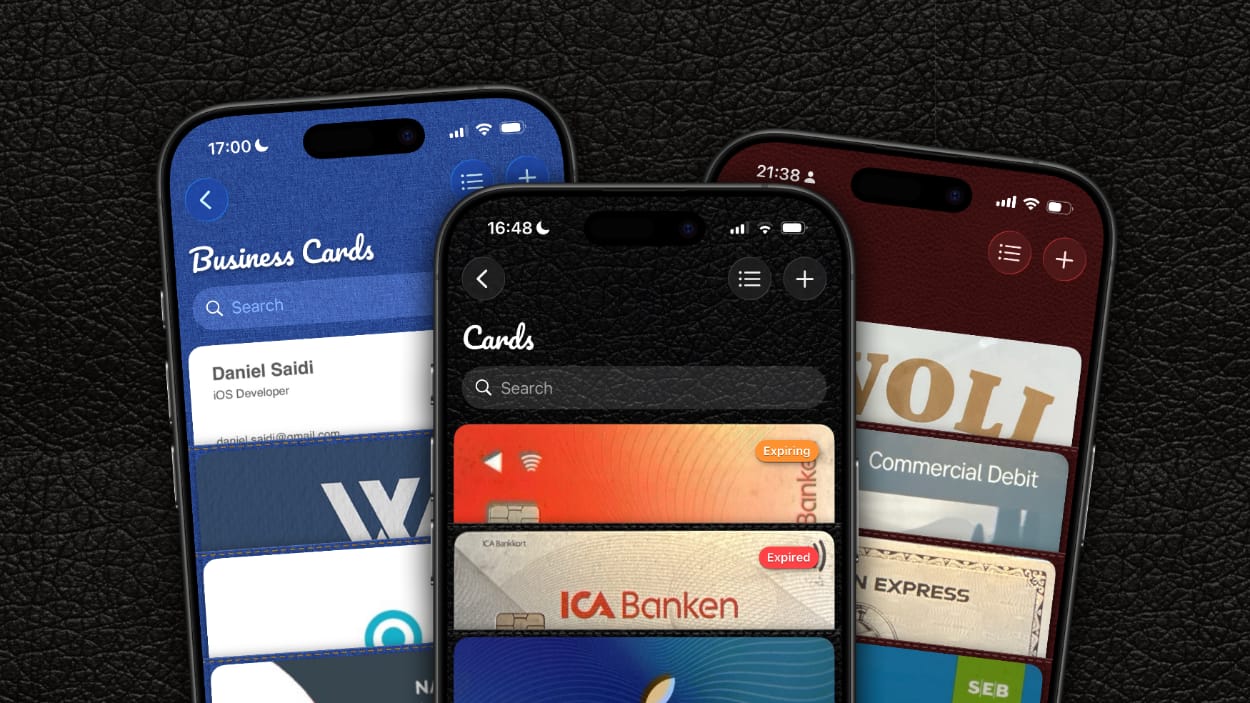
14 years ago, I built my very first native app for iOS together with two friend. Today, Wally 7.0 is out, with a brand new data store, and lots of new features.
Background
I built the first version of Wally with two friends in 2012. The idea was to build a digital wallet with biometric protection, that can store copies of your cards, driver’s license, etc.
Since then, the app has kept evolving, but has never been much more than a fun way for me to be able to try out the many new things that Apple release year after year.
And this year is no exception. Wally 7 is a big rewrite of the app, and finally replaces its old Realm database with Swift Data.
Swift Data
Wally 7 replaces the old Realm database with Swift Data. This means that I have finally been able to move to a more modern way to store data, that works great with modern technologies like SwiftUI.
I received some warnings about SwiftData not being as good as other options, but I wanted to give it a try, to see if I could get this modern Apple library working. And it has been great.
I prefer to use protocols to abstract things, and had a pretty complex setup for the Realm storage, which needed separate stores for separate item types. This all went away with SwiftData.
Instead of having a store protocol with various implementations to communicate with the database, write to an observable object, etc. I just use the model context. It works great.
This has allowed me to remove SO much code, and made the app architecture much cleaner than before. It also works great with App Intents, which is exciting for where I want to take the app next.
And, besides the many architectural gains, Swift Data will automatically sync a user’s items to all devices, using private iCloud sync. A very nice bonus, with very little additional work.
Item Groups
Wally 7 moves away from grouping items by type (cards, notes, receipts, etc.) to letting you create custom groups. This gives you a LOT more flexibility in how you store your items.
Image Zoom
This should have been implemented years ago, but I struggled with making item image zoom work with SwiftUI. This year, I decided to give UIKit wrapping a chance, and it worked great.
This means that you can pinch to zoom in on any expanded item. This lets you read tiny details on for instance receipts.
UI Improvements
Other than these changes, the app has been cleaned up a lot, to work even better with Liquid Glass. There are new popover menus to save you time, and the information is better presented.
Download
You can download Wally for free from the Wally website. I’d love to hear what you think about it.
Discussions & More
If you found this interesting, please share your thoughts on Bluesky and Mastodon. Make sure to follow to be notified when new content is published.