Detecting text in images with the Vision framework
Jan 10, 2026 ·
Apple’s Vision framework is a framework for on-device machine learning-based image analysis. Let’s see how we can use it to extract text from images in our apps.
Vision APIs
Vision is available on iOS, iPadOS, macOS, tvOS, and visionOS. Before WWDC25, it had 31 APIs:
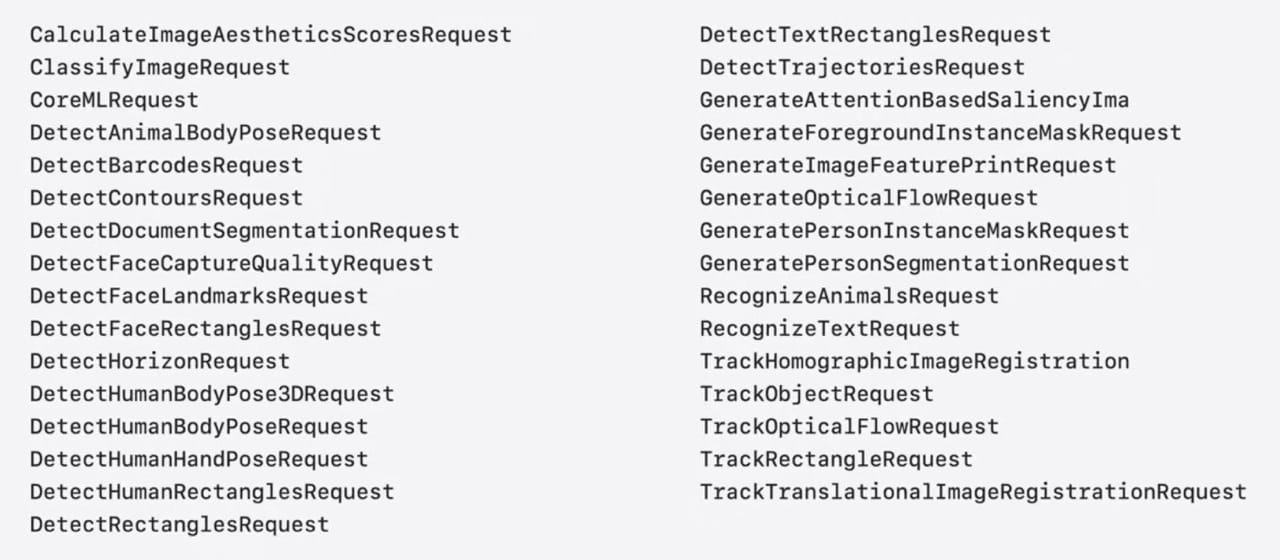
At WWDC25, Apple announced 2 new APIs for reading documents and for smudge detection. Let’s see how we can use these APIs to detect text in images.
Detecting text in images
I currently use text recognition in my Wally app, to read text from items to simplify management:

By tapping the scan button, users can parse the images of an item and presents the detected texts in a picker. As you can see, multi-line texts are parsed as individual lines.
Detecting text with an (old) VNRecognizeTextRequest
I first implemented this feature using an app-specific VNRecognizeTextRequest that returns detected text by calling a completion handler:
func createRequest(
    completion: @escaping (([String]) -> Void)
) -> VNRecognizeTextRequest {
    let request = VNRecognizeTextRequest { request, error in
        if let error = error { return print(error) }
        let observations = request.results as? [VNRecognizedTextObservation]
        guard let observations else { return }
        let texts = observations.compactMap { $0.topCandidates(1).first?.string }
        completion(texts)
    }
    request.recognitionLevel = .accurate
    request.usesLanguageCorrection = true
    return request
}
To use this request with SwiftUI, I use an ObservableObject that writes text to a published property:
class TextRecognitionContext: ObservableObject {

    init() {}

    @Published var recognizedText: [String] = []

    func reset() {
        recognizedText = []
    }
}

extension TextRecognitionContext {

    func recognizeText(in images: [ImageRepresentable]) {
        reset()
        let images = images.compactMap { $0.cgImage }
        for image in images {
            let requestHandler = VNImageRequestHandler(cgImage: image, options: [:])
            let request = createRequest { [weak self] texts in
                guard let self else { return }
                DispatchQueue.main.async {
                    self.recognizedText.append(contentsOf: texts)
                }
            }
            do {
                try requestHandler.perform([request])
            } catch {
                // Handle error
            }
        }
    }
}
#endif
In the code above, I convert each image to a CGImage, then iterate over the images and perform the request with a VNImageRequestHandler. Each detection adds the detected lines of text to a published recognizedText property, which automatically updates the picker.
This works, but the code is quite old and uses ObservableObject instead of @Observable. Let’s use the newer RecognizeTextRequest to simplify things and support concurrency.
Detecting text with a RecognizeTextRequest
The new RecognizeTextRequest makes things a lot easier, since we don’t need to use a completion:
func createRequest() -> RecognizeTextRequest {
    var request = RecognizeTextRequest()
    request.recognitionLevel = .accurate
    request.usesLanguageCorrection = true
    return request
}
We can then implement an async function that performs the text recognition and returns the result:
func recognizeText(
    in images: [ImageRepresentable]
) async throws -> [String] {
    let request = createRequest()
    let images = images.compactMap { $0.cgImage }
    var results: [String] = []
    for image in images {
        let observations = try await request.perform(on: image)
        let texts = observations.compactMap {
            $0.topCandidates(1).first?.string
        }
        results.append(contentsOf: texts)
    }
    return results
}
We can then define our context as @Observable instead of ObservableObject, to use modern SwiftUI:
@Observable class TextRecognitionContext {

    init() {}

    var recognizedText: [String] = []
}

extension TextRecognitionContext {

    func reset() {
        recognizedText = []
    }

    func recognizeText(
        in images: [ImageRepresentable]
    ) {
        reset()
        Task {
            do {
                let texts = try await recognizeText(in: images)
                await MainActor.run {
                    self.recognizedText = texts
                }
            } catch {
                // ...
            }
        }
    }
}
This approach involves a little more code than before, but it’s a lot easier to read and reason about.
Text Recognizer Drawbacks
While the approach above works, a text recognizer returns unstructured text. Text that spans over multiple lines is separated in different lines, and it’s up to us to make sense of it all.
Since the RecognizeTextRequest returns bounding boxes and contextual information, it’s possible for us to group texts together. However, the new RecognizeDocumentsRequest that was introduced at WWDC 25 makes such manual operations obsolete. Let’s see how we can use it to simplify things.
Detecting text with a RecognizeDocumentsRequest
With RecognizeDocumentsRequest things become even easier. First, our app-specific request becomes even easier to set up, using a single configuration:
func createRequest() -> RecognizeTextRequest {
    var request = RecognizeDocumentsRequest()
    request.textRecognitionOptions.useLanguageCorrection = true
    return request
}
The text recognition also becomes a lot cleaner, where we parse a document per image and extract complete text paragraphs instead of individual lines:
enum RecognizeDocumentsRequestError: Error {
    case noDocumentFound
}

func recognizeText(
    in images: [ImageRepresentable]
) async throws -> [String] {
    let request = createRequest()
    let images = images.compactMap { $0.cgImage }
    var results: [String] = []
    for image in images {
        let observations = try await request.perform(on: image)
        guard let doc = observations.first?.document else {
            throw RecognizeDocumentsRequestError.noDocumentFound
        }
        let texts = doc.paragraphs.map { $0.transcript }
        results.append(contentsOf: texts)
    }
    return results
}
With this simple change, the parsing becomes a lot better, since multi-line texts now stick together:
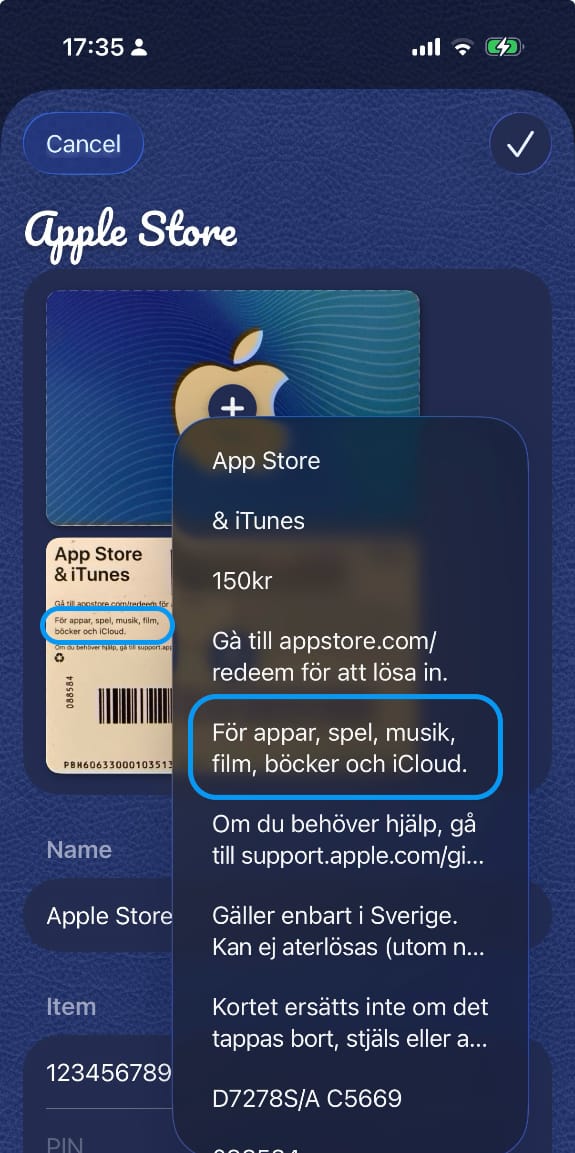
The way in which we combine Vision requests with observable types makes it easy to use Vision in SwiftUI-based apps. The same approach can be applied to other Vision APIs.
Conclusion
Where the old Vision APIs required you to create a request and a request handler, the new request types make things a lot easier. They also work well with SwiftUI observations and Swift concurrency.
Make sure to check out the great video where Apple presents the new RecognizeDocumentsRequest in more detail. It can do so much more, like parsing and analyzing structured data:
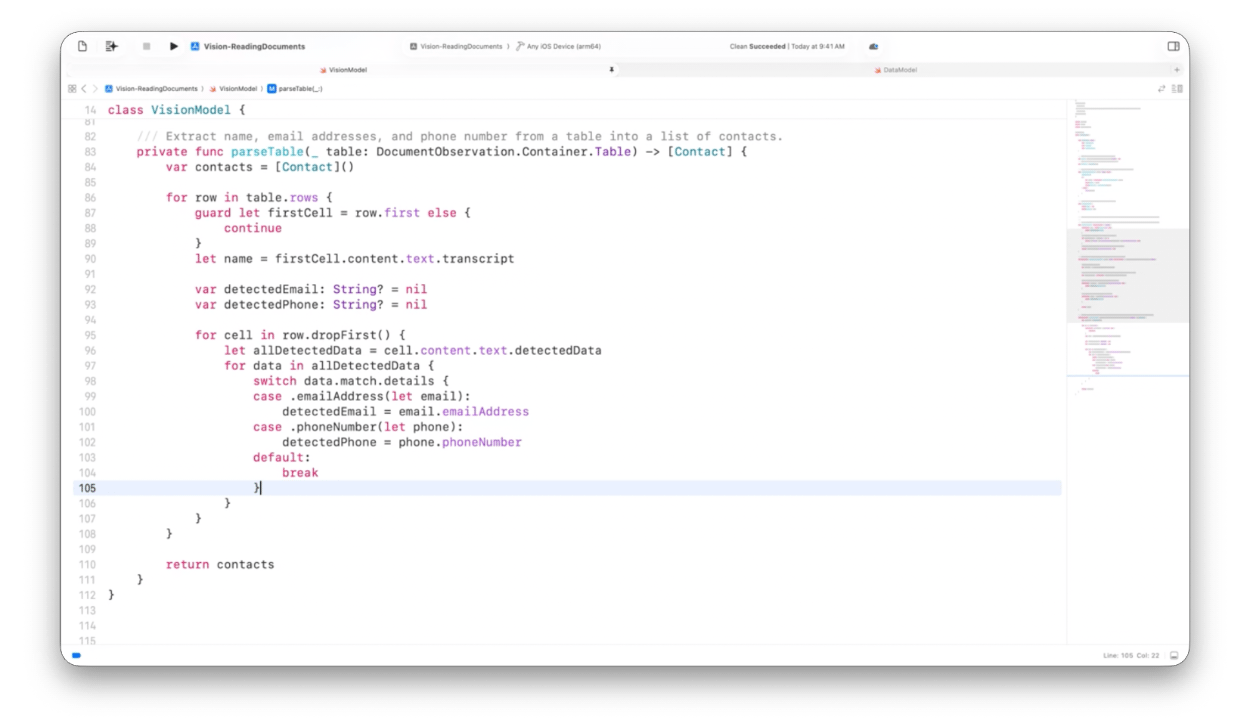
I’m very impressed by these new tools, and will try to use them more in my various apps and SDKs.
Discussions & More
If you found this interesting, please share your thoughts on Bluesky and Mastodon. Make sure to follow to be notified when new content is published.